SOTI XSight
2024
IT Support, Unified in One Place — Resolved in Under an Hour
IT technicians at SOTI's enterprise customers were managing device fleets while juggling three separate areas of the platform just to initiate a single support interaction. I was brought in as the solo designer to rethink the live support experience end-to-end — starting from real user research, rebuilt on the Elevate Design System, and validated by the CEO before shipping.
How redesigning the XSight live support widget cut average ticket resolution time from 3 hours to 60 minutes — within one month of launch.
Problem area
A fragmented tool in a high-stakes job
Industry data shows the average support ticket takes 3 days and 10 hours to resolve. For SOTI's IT technicians managing enterprise device fleets, every extra minute matters. The existing live support widget forced users to navigate three disconnected areas — Live Support, Chat, and Contacts — just to start a single interaction. That friction wasn't just annoying; it was slowing down resolution times and eroding trust in the platform.
SOTI's enterprise customers — hospitals, logistics depots, retail chains — manage thousands of devices across distributed teams. When a device goes offline, there's a real-world cost on the other end.
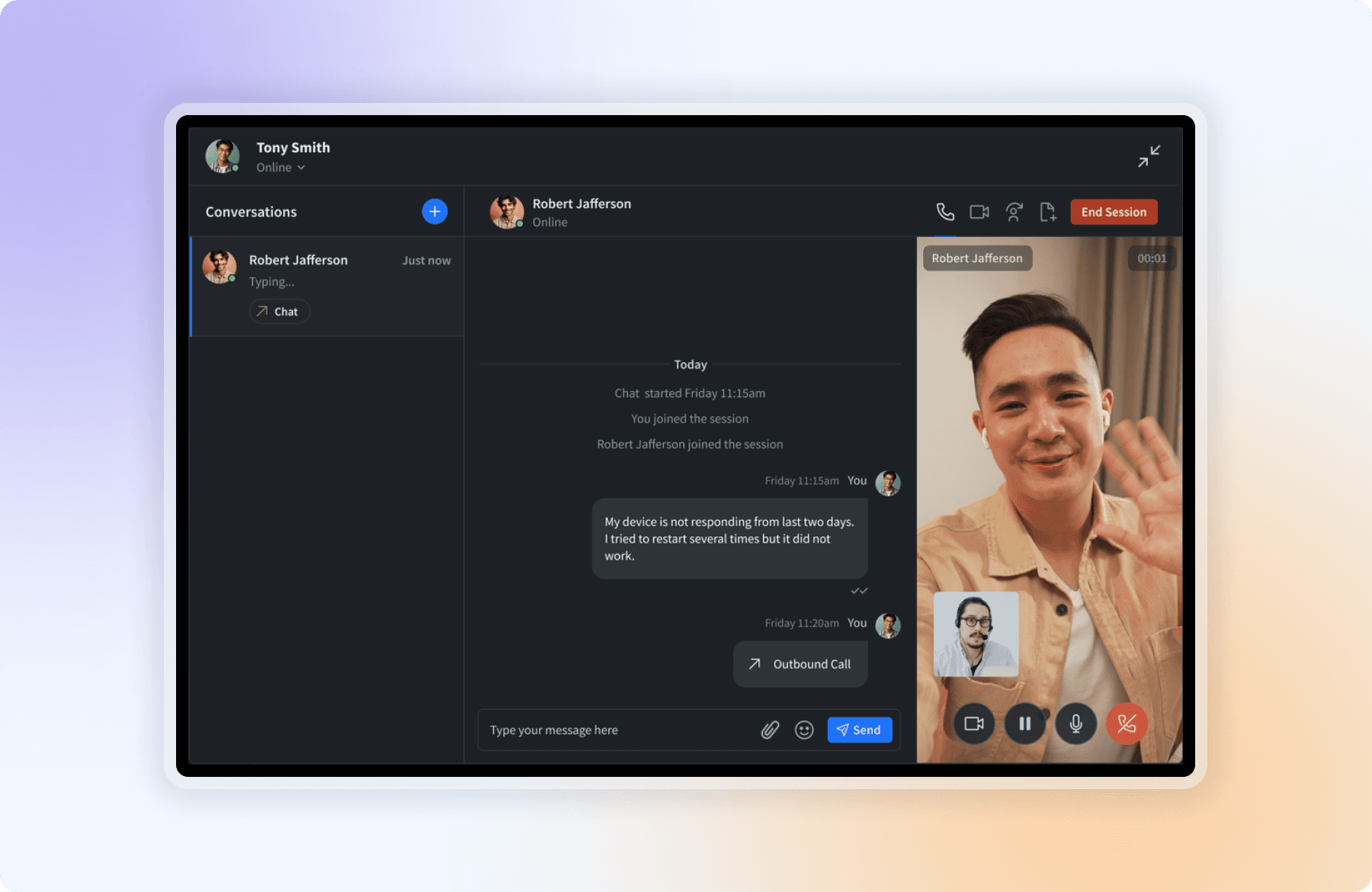
The existing widget was built around three separate areas: Live Support (the actual real-time console with text, voice, video, and remote control tools), Chat (the inbox and session launcher for starting or resuming conversations) and Contacts (a directory of devices and users to reach). Each tab had a distinct purpose — but none of them talked to each other. To start a single support session, a technician had to move through all three in order, every time: find the device in Contacts, open a session via Chat, then work the incident inside Live Support. There were no shortcuts. No shared context. Just tab-switching under pressure.
That context-switching wasn't just frustrating. It was producing errors — wrong device details passed to agents, tickets opened on the wrong sessions, conversations that had to restart from scratch.
Existing live support widget — three separate areas, one painful workflow
Design decision 01
Centralizing the workflow into one unified widget
The obvious solution was to collapse the three areas into a tabbed panel. My first wireframes did exactly that. Stakeholders liked it. I didn't.
Tabs still put the user in charge of switching contexts. The problem wasn't that the three areas were in three places — it was that they were three things at all. A tabbed panel would have looked unified but felt exactly the same.
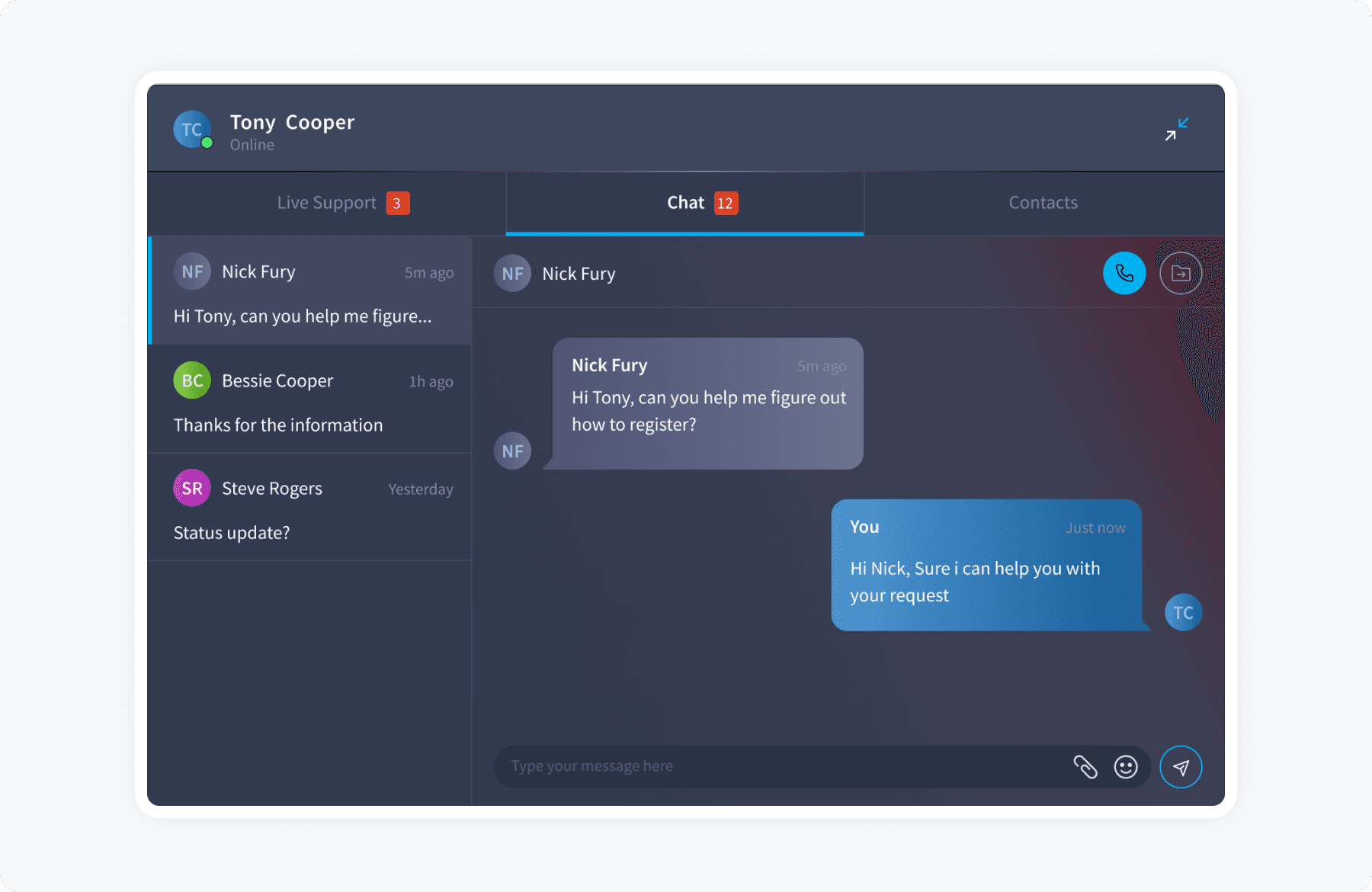
So I reframed the question: what if the device context was always present, and support, chat, and contacts all operated within it? Instead of three areas to navigate between, one persistent surface — with all actions available in context, without ever leaving the device view.
That shift changed everything downstream.
Engineering disagreed. Their position was reasonable: the tabbed panel was scoped, understood, and buildable in the timeline we had. The single-surface model meant rethinking how device context was passed between components — work that didn't exist in the original estimate. The ask was to simplify the design to fit the plan.
I made the case that we'd be shipping the wrong thing on time. I put both prototypes side by side in a stakeholder session — tabbed panel vs. single surface — and walked through the same task flow in each. The difference was visible in under two minutes. We got the additional sprint. The unified model shipped.
Early wireframes — restructuring the information architecture into a single hub
Design decision 02
Designing with — and extending — the Elevate Design System
I was the only designer on this project start to finish — no researcher, no second set of eyes, no one to QA prototypes. That constraint shaped how I worked. I couldn't run a formal usability study, so I leaned harder on stakeholder walkthroughs and informal sessions with technicians to gut-check decisions quickly. It also meant I had to be ruthless about scope — I couldn't pursue every interesting design direction, only the ones I could validate and build fast.
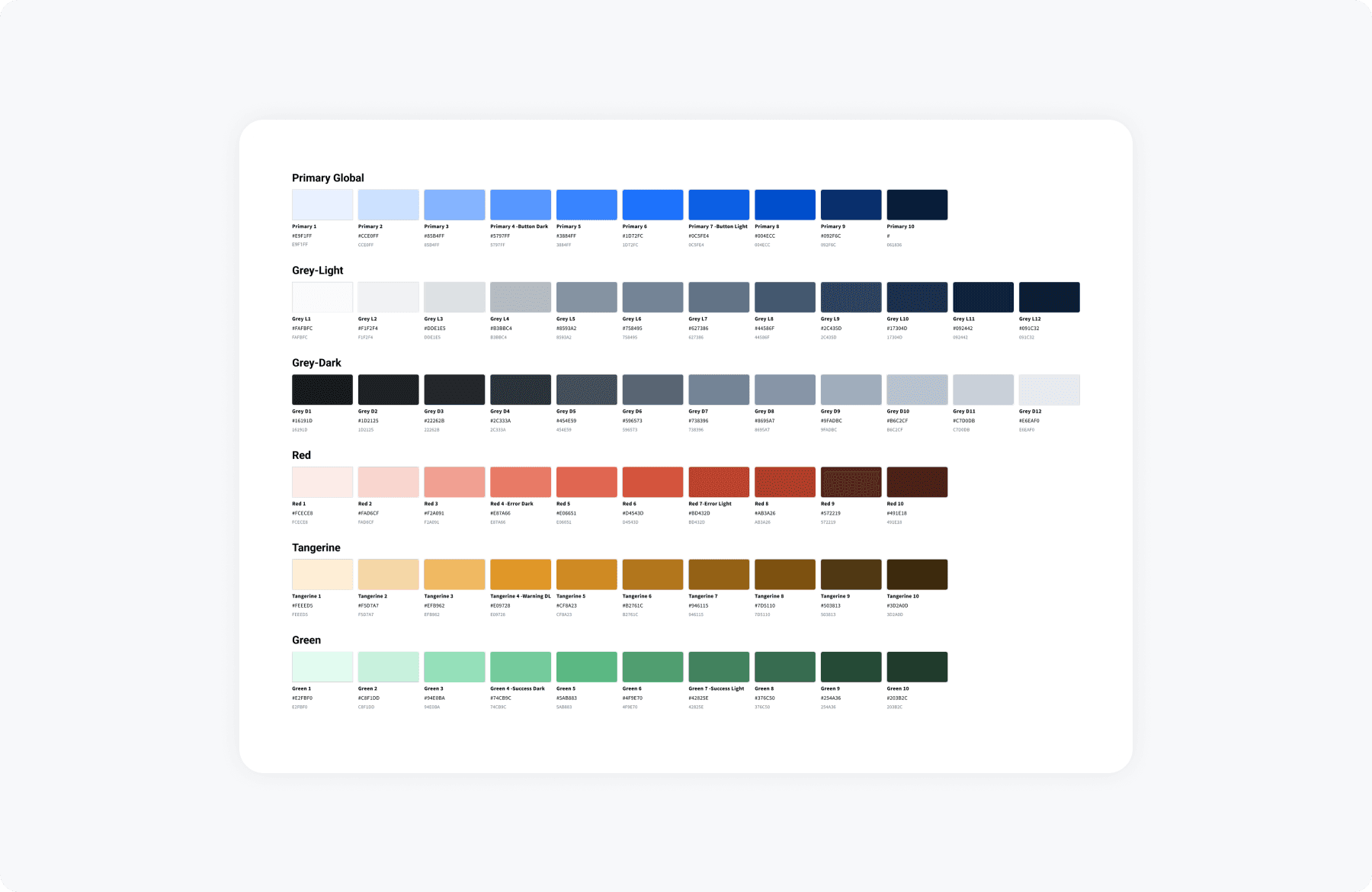
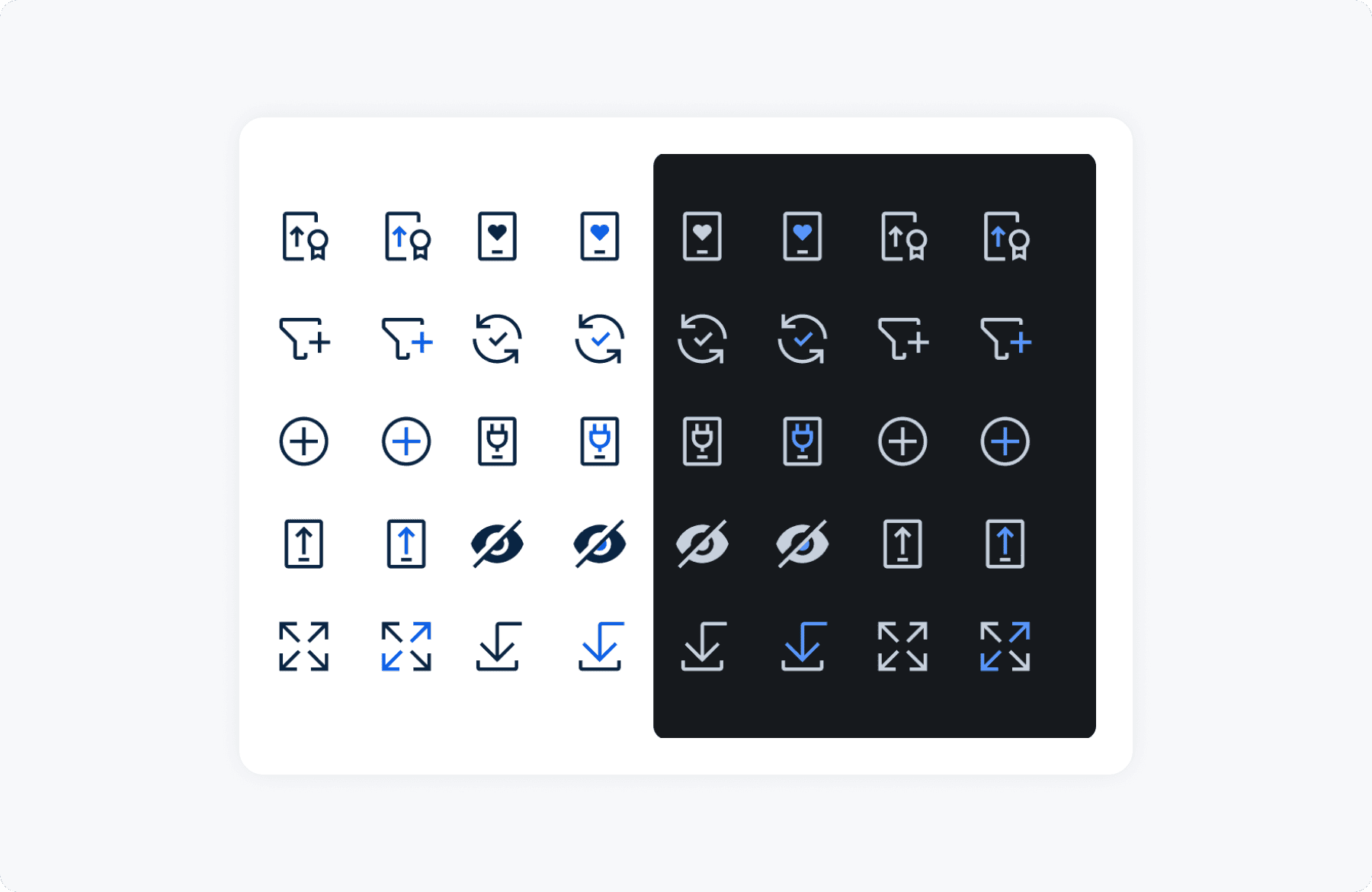
Rather than building a bespoke UI, I applied SOTI's internal Elevate Design System — a system I helped build. I'd designed the color palettes for light and dark modes, created over 500 icons in Figma, and developed the illustration language. Leveraging Elevate meant consistency with the broader platform and faster delivery.
But Elevate wasn't designed for this density of interaction. The widget needed new states — inline contact search, live session indicators, device context cards. Rather than break system conventions, I extended them: documented new patterns, added components to Elevate, and aligned with engineering on token usage.
It cost about a week. It was the right call — those components have since been reused in two other product areas.
Design system — Consistency at scale
Design decision 03
What competitive research changed — and what it made us build
I ran a rapid competitive review across Intercom, Zendesk, and ServiceNow — not to copy patterns, but to pressure-test where our design was heading.
It confirmed that persistent device context was the right model. But it challenged something I'd gotten wrong: the conversation panel was a flat, static list — no presence, no channel visibility, no way to know who was reachable before reaching out.
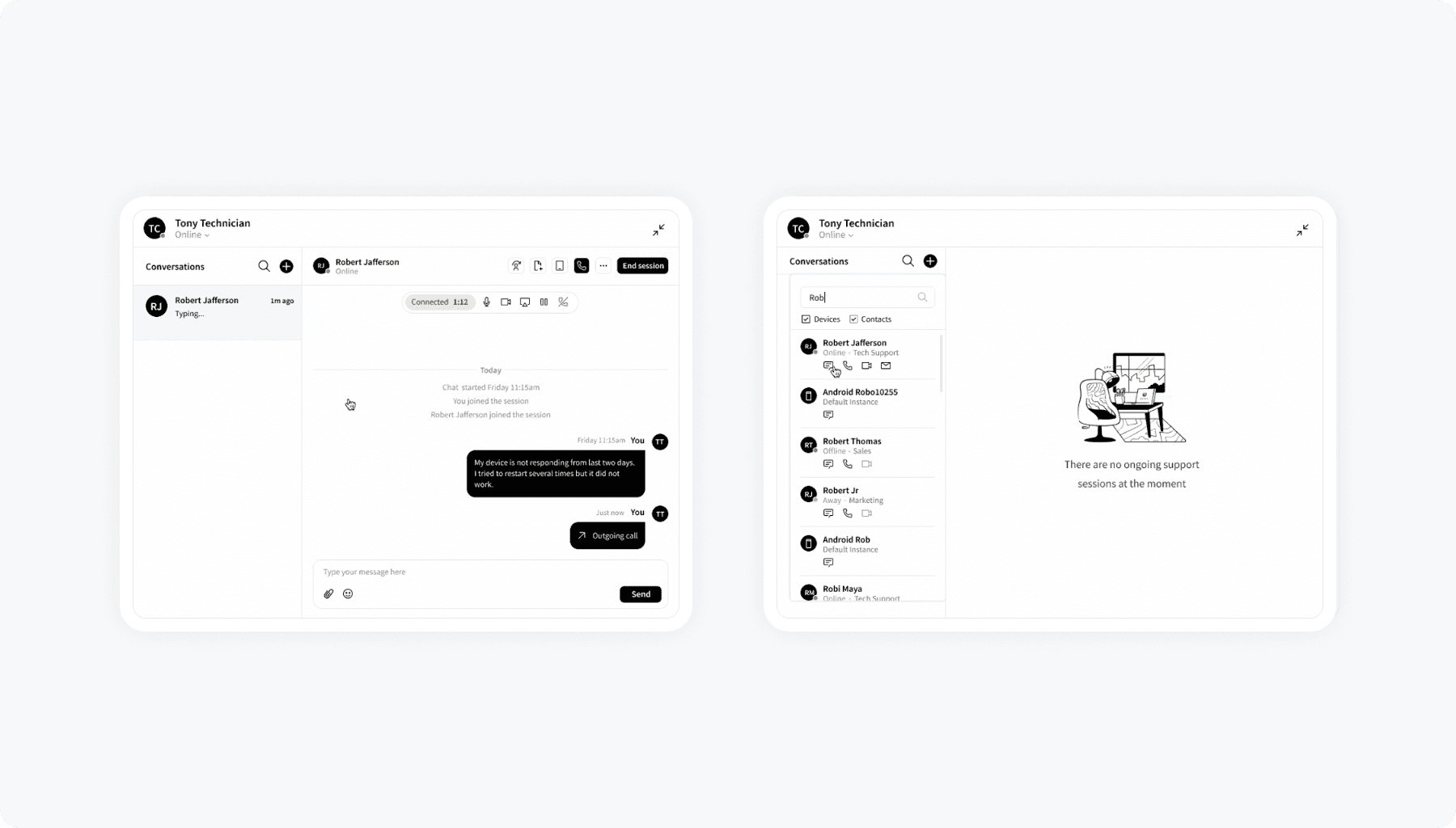
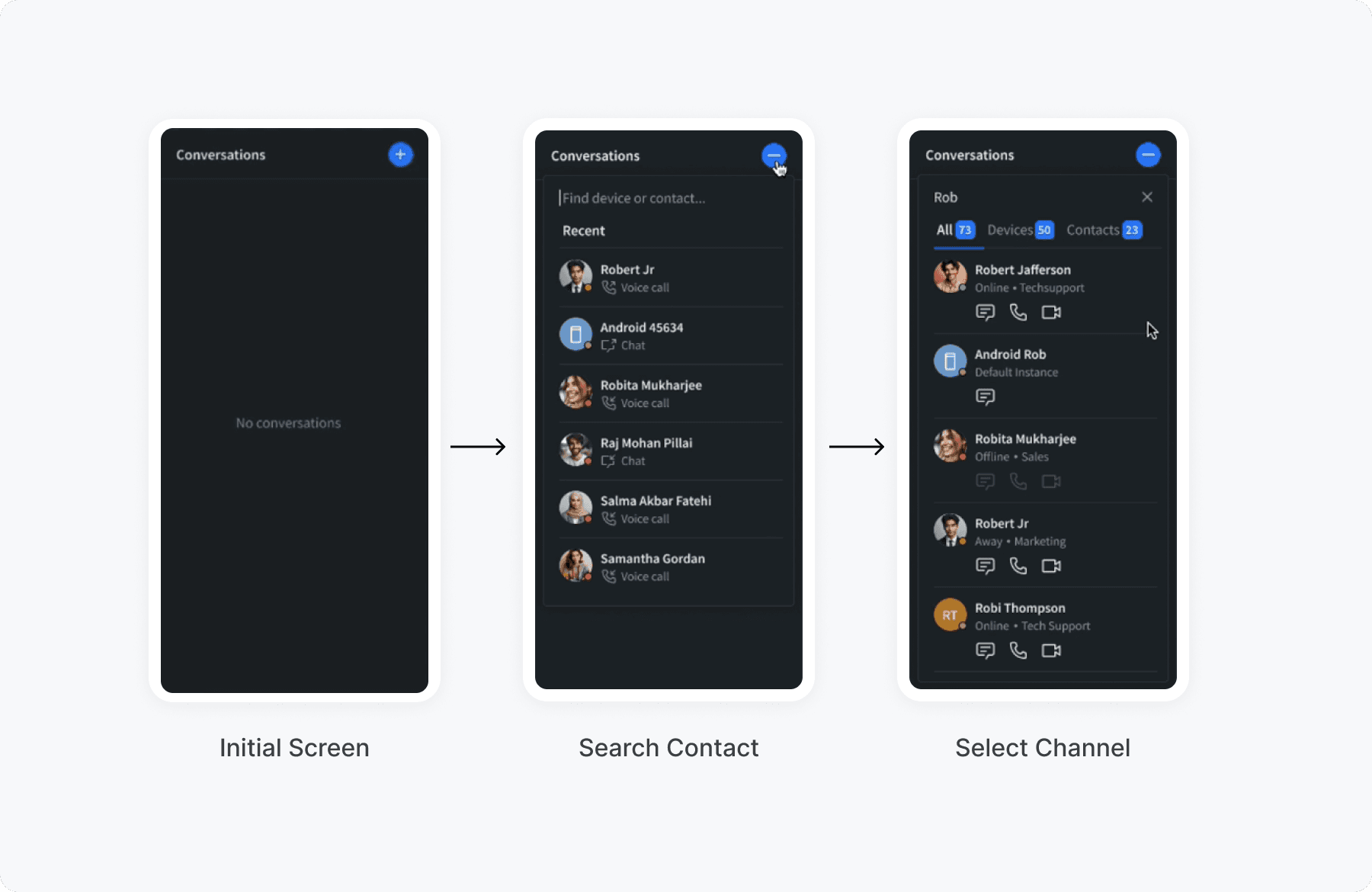
I redesigned it as Smart Search — a filtered, presence-aware dropdown showing online status, department, and available channels per contact before anything is initiated. Technicians knew who was reachable and how, before they even clicked.
The high-fidelity prototype was built on Elevate. I presented it in a formal design review with the CEO and key stakeholders — it was validated not just as a usability improvement, but as strategically important for SOTI's enterprise positioning.
Smart Search — three steps to initiate a session
Retrospective
Resolution time dropped from 3 hours to 60 minutes
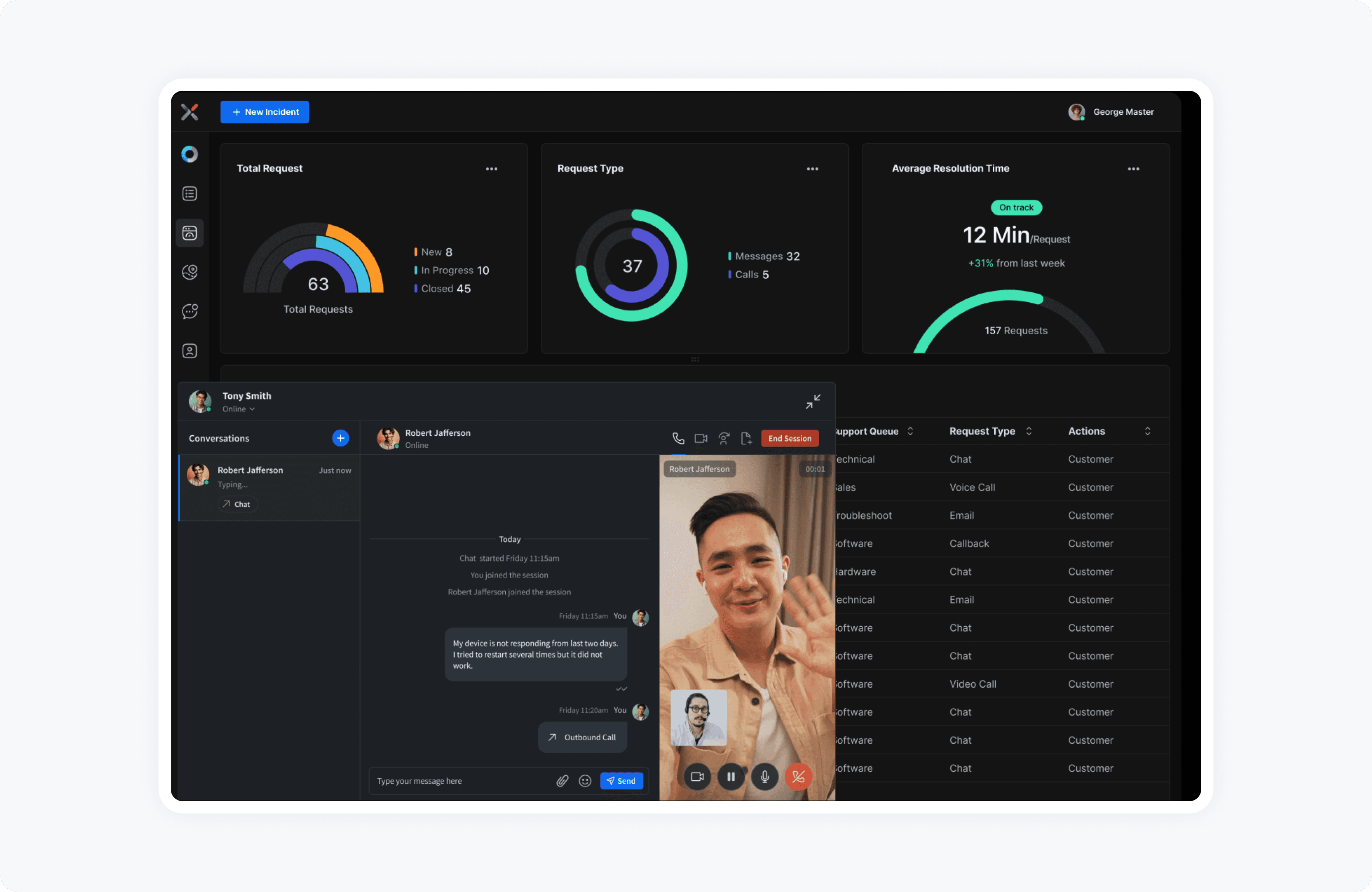
Within a month of launch, the unified widget had measurably changed how technicians worked. Less context-switching. More time resolving. The numbers reflected it.
But the outcome I'm most proud of isn't the headline metric. Technicians stopped opening tickets on the wrong sessions — because the device was always in frame. Support team leads mentioned it in follow-up conversations. We didn't design for it explicitly. It happened because the context was right.
In hindsight
Shipped it. Here's what I'd change.
I'd push for the right tracking to be in place before launch, not after. We knew resolution time improved because it was already being measured — but we had no data on where technicians were getting stuck in the old flow. Next time, I'd work with the PM and engineering early to agree on what to measure — drop-off points, steps taken to start a session, time spent in each part of the flow — and make sure those are being logged before we ship. Without that, you can see the outcome improved but you can't explain why.
I'd also build in at least one round of testing with real technicians before the final prototype. We validated through stakeholder walkthroughs, but that's not the same as watching someone actually use it under pressure. Even one informal session mid-process would've surfaced edge cases we only heard about after launch.
And I'd loop engineering in at the wireframe stage, not the prototype stage. The timeline debate we had could have been shorter — and less tense — if they'd seen the direction earlier and helped shape the technical approach alongside the design. By the time I brought them a polished prototype, it felt like a fait accompli. That created friction that was avoidable.